Video Player - PRO Version
Recorder & Music AppsVideo Players & Editors
4.6300.00 Reviews
- Version
- 7.2.3
- Installs
- 100.00K
- Age Rating
- Everyone
Screenshots
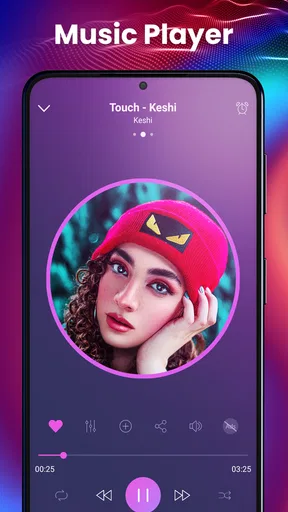
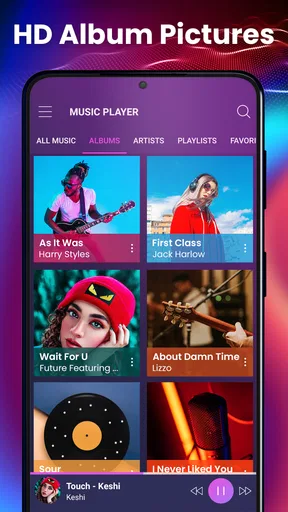
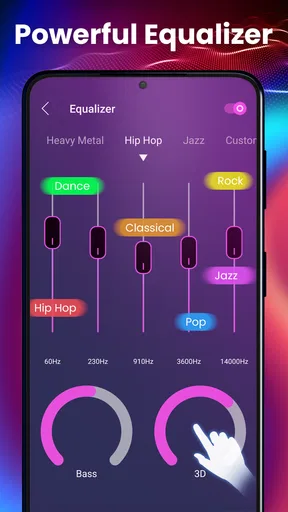
Our Review of Video Player - PRO Version
 Analysis by Appyee
Ever been frustrated with your phone’s default video player? You’re not alone! Enter Video Player - PRO Version, an app that promises to transform your video-watching experience. I’ve spent some quality time with this app, and I’m here to spill the beans on whether it’s worth your download.
Where the player fits today
This is a dedicated video player, not a streaming service or a video-editing suite. That distinction matters: I’d consider it when I already have video files on my device and want more control over how they play, rather than when I’m looking for a place to discover or organize online content. The app is developed by Recorder & Music Apps, and its current version is 7.0.2. It has an average rating of 4.6 from around 5,900 ratings, with more than 100,000 installs, so it has found an audience among people looking for a standalone playback option.
The price is $6.99, which makes it worth thinking about what you actually need before installing. If the default player already opens your everyday clips and handles your subtitles comfortably, paying for another player may not improve your routine enough. If you often switch between different local files, adjust playback speed, or load subtitles yourself, the extra controls may be more meaningful than a basic player’s simpler approach. The app is rated Everyone and supports Android 6.0 or later.
What its version history can—and cannot—tell me
The app was released on May 29, 2018, and version 7.0.2 is its current version. That history shows this is an established product rather than a brand-new player, but a version number on its own doesn’t tell me which features arrived when or how the interface has changed. I wouldn’t treat the age of the app as proof that every recent phone or video file will behave identically; playback depends on the files and device as well as the player.
For someone who already uses it, the practical question is whether the present controls suit the way they watch. The playback tools described here—format support, subtitle handling, speed adjustment, gestures, and picture-in-picture—are the parts I’d judge in daily use. I’d also keep the app updated through the store, since updates are the usual way to receive compatibility and stability changes, while avoiding assumptions about changes that haven’t been specifically established.
Who will get the most from it
I can see this working best for people who keep lectures, films, or other personal video files on their phone and want to manage playback without moving everything into a streaming platform. A student could use speed controls to review a recorded lesson, then slow down a tricky passage instead of scrubbing back and forth repeatedly. Someone watching a film with a separate subtitle file may value being able to load it and correct timing when the text drifts out of sync.
There’s a useful distinction between occasional and regular use. If I watch one short clip every few days, the built-in player is probably enough. If I watch longer files, need subtitles, or routinely open videos in different formats, I’m more likely to notice the difference. The app’s strongest case is not that every viewer needs another player; it’s that a file-based viewing habit benefits from controls that the default option may not make as accessible.
A realistic day-to-day test
Imagine I’ve saved a lecture for a commute and have only a few minutes before reaching my stop. I can raise the playback speed to cover familiar material, then reduce it when the speaker gets into a dense explanation. Later, at home, I can pick up a film with subtitles and adjust their timing if the dialogue and text don’t line up. Those are modest tasks, but they show why speed and subtitle controls can matter more than a long feature checklist.
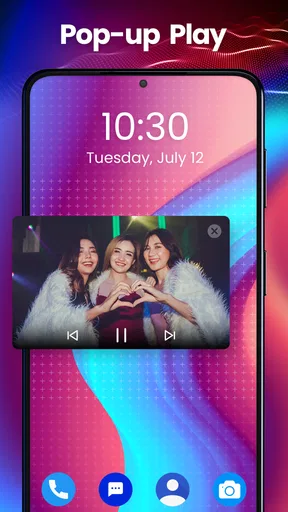
Picture-in-picture has a different trade-off. It can keep a video visible while I check a message or look at another screen, which is handy for background viewing. It is less suitable for a scene where I want to focus on the image, and a small floating window can make subtitles difficult to read. I’d treat it as a convenience for casual watching, not a replacement for full-screen playback.
Choosing it over familiar alternatives
Compared with a phone’s built-in player, this app offers a more purposeful set of playback controls, especially for subtitles, speed changes, and gestures. The default option still has a real advantage: it is already there, usually requires no extra setup, and may be sufficient for common clips. I’d stay with it if simplicity matters more than fine control or if I rarely watch local files.
Compared with a broad media player that also emphasizes libraries, network sources, or other advanced management, this app’s appeal is more direct: open a video and adjust the viewing experience. That focused approach can feel less demanding, but people who want a central catalog for a large collection should weigh whether a more library-oriented alternative fits them better. I wouldn’t choose this solely because it is labeled Pro; I’d choose it if its playback tools address a recurring annoyance.
One practical tip is to test a representative file rather than judging the player from a short clip. Try a longer video, use the subtitle you actually watch with, and check whether the gestures feel comfortable on your device. That quick routine can reveal more than simply opening the first file, particularly if you plan to rely on speed changes or subtitle synchronization regularly.
First Impressions and Setup
Downloading Video Player - PRO Version was a breeze. The app is available on both Android and iOS, and it installed quickly without any hiccups. Right off the bat, I noticed the clean and intuitive interface. It’s not cluttered with unnecessary buttons, which is a huge plus for folks who just want to get straight to the point.
Features That Stand Out
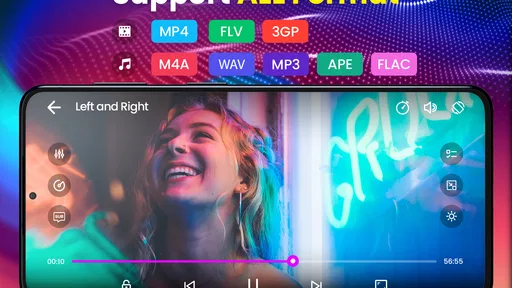
One of the standout features is the wide range of video formats it supports. Whether you’re dealing with MP4, AVI, or even MKV files, this app handles them all like a champ. No more annoying pop-ups telling you that your video format isn’t supported.
The app also boasts a nifty feature for subtitle support. You can easily load subtitles in various formats, and it even allows for adjustment of synchronization, which is great if you’re watching foreign films or TV shows.
Another cool feature is the customizable playback speed. Want to speed through a lecture or slow down an action scene? No problem! You can adjust the speed to your liking, which adds a layer of flexibility that’s often missing in other players.
Performance and Usability
In terms of performance, smooth is the word that comes to mind. Videos played without any lag, and the app didn’t crash once during my tests. The transition from one video to another was seamless, and the app’s response time was impressively quick.
The app also includes some thoughtful touches, like gesture controls. Swiping up and down adjusts the volume and brightness, while swiping left and right lets you skip through the video. These little features enhance the user experience and make it feel more modern and user-friendly.
Additional Perks
For those who love to multitask, the picture-in-picture mode is a game-changer. You can watch a video in a floating window while doing other tasks on your device. It’s perfect for those busy days when you need to catch up on content while working on something else.
The app also offers a dark mode, which not only looks slick but is also easy on the eyes during nighttime viewing. It’s a small feature, but one that many users will appreciate, especially if you’re a night owl like me.
Possible Improvements
While this player ticks a lot of boxes, there’s always room for improvement. One area that could use a bit of polish is the equalizer settings. Although it offers basic audio adjustments, a more advanced equalizer would be a welcome addition for audiophiles who want to fine-tune their sound experience.
I also noticed that the app doesn’t currently offer any cloud integration. It would be handy to access videos stored in cloud services directly from the app. Hopefully, this is something the developers will consider in future updates.
Final Thoughts
Overall, this is a robust app that delivers on its promise of providing a superior video playback experience. Its support for various formats, sleek interface, and useful features like subtitle support and customizable playback speed make it a standout choice.
If you’re on the hunt for a reliable video player that enhances your viewing experience, this app is definitely worth checking out. With its smooth performance and user-friendly design, it’s a strong contender for becoming your go-to video player.
Before paying, I’d compare the tools I expect to use with what my default player already does; the $6.99 price is easier to justify when subtitle timing, speed control, or broader format handling will save me repeated hassle. The store summary also mentions a 30-day money-back guarantee, which may offer reassurance, though I’d check the purchase terms that apply to my platform before relying on it.
I’d skip it if I mainly stream, want cloud-hosted files to appear inside the player, or need a more advanced equalizer for careful audio tuning. Those needs point toward a streaming app, a cloud service’s own player, or a more audio-focused tool. For local playback, though, the combination of subtitles, gestures, speed changes, and a simple interface gives this app a clear purpose. What I’d watch over time is whether future versions improve the audio controls and cloud access without making the straightforward playback experience feel crowded.
Ready to give it a try? Head over to your app store, download the player, and dive into a world of seamless video playback!
Verdict
Strengths of Video Player - PRO Version
- Ad-free viewing experience.
- Supports all popular video formats.
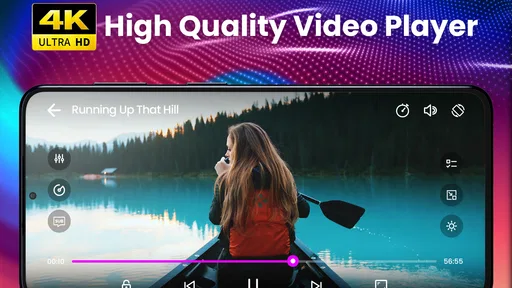
- High-definition playback quality.
- User-friendly interface design.
- Customizable subtitle options.
Limitations of Video Player - PRO Version
- Premium version is expensive.
- Occasional app crashes reported.
- Limited cloud streaming support.
- Large file size for installation.
- Infrequent software updates.
Similar Picks in This Category
View All
Google TV
Google LLC3.9

iTunes
Apple4.7

YouTube
Google LLC3.8

MX Player
Amazon Mobile LLC4.2

CapCut - Video Editor
Bytedance Pte. Ltd.3.5

PLAYit-All in One Video Player
PLAYIT TECHNOLOGY PTE. LTD.4.5
Frequently Asked Questions
What features does Video Player - PRO Version offer that differentiate it from other video players?
Video Player - PRO Version stands out with features such as support for multiple video formats, high-definition playback, and a user-friendly interface. It also offers subtitle support, customizable playback speed, and a built-in equalizer for enhanced audio quality. These features make it a versatile choice for users seeking a comprehensive video playback experience.
Is Video Player - PRO Version compatible with both Android and iOS devices?
Yes, Video Player - PRO Version is designed to be compatible with both Android and iOS devices. The app is optimized for smooth performance across various operating systems and devices, ensuring users can enjoy seamless video playback regardless of their device type. Always check the app store for the latest compatibility updates.
Does Video Player - PRO Version require an internet connection to function properly?
No, Video Player - PRO Version does not require an internet connection to play videos stored locally on your device. However, if you want to stream online content or download subtitles, an internet connection will be necessary. This flexibility allows users to enjoy their media offline and online.
What are the benefits of upgrading to the PRO version of this video player?
Upgrading to Video Player - PRO Version offers several benefits, including an ad-free experience, access to advanced playback features, and priority customer support. Users can enjoy high-quality video streaming without interruptions and take advantage of exclusive tools like playlist management and enhanced audio controls, enhancing overall usability.
Are there any known issues or limitations with Video Player - PRO Version?
While Video Player - PRO Version is robust, users might encounter occasional bugs like subtitle synchronization issues or minor playback glitches. The development team is proactive in resolving such issues with regular updates. Users are encouraged to report bugs to help improve the app’s performance and reliability.
